
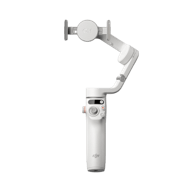
DJI OM 4

[section label=”banner -desk” padding=”0px” visibility=”hide-for-small”]

[ux_banner height=”780px” video_mp4=”https://dji-vietnam.vn/wp-content/uploads/2020/09/video-gioi-thieu-gimbal-dji-om-4.mp4″]

[text_box position_x=”50″ position_y=”50″]

DJI OM 4

Thiết kế từ tính độc đáo

[button text=”mua ngay” color=”white” style=”shade” radius=”10″ depth=”3″ depth_hover=”5″ link=”https://vjshop.vn/gimbal/dji-osmo-mobile-4-chinh-hang”]

[/text_box]

[/ux_banner]

[/section]
[section label=”banner – mobile” padding=”0px” visibility=”show-for-small”]

[ux_banner height=”780px” height__sm=”600px” bg=”595″]

[text_box width__sm=”78″ position_x=”50″ position_y=”50″]

DJI OM 4

Thiết kế từ tính độc đáo

[/text_box]

[/ux_banner]

[/section]
[section height=”0px”]

[row]

[col span=”2″ span__sm=”12″ visibility=”hide-for-small”]

[/col]
[col span=”8″ span__sm=”12″]

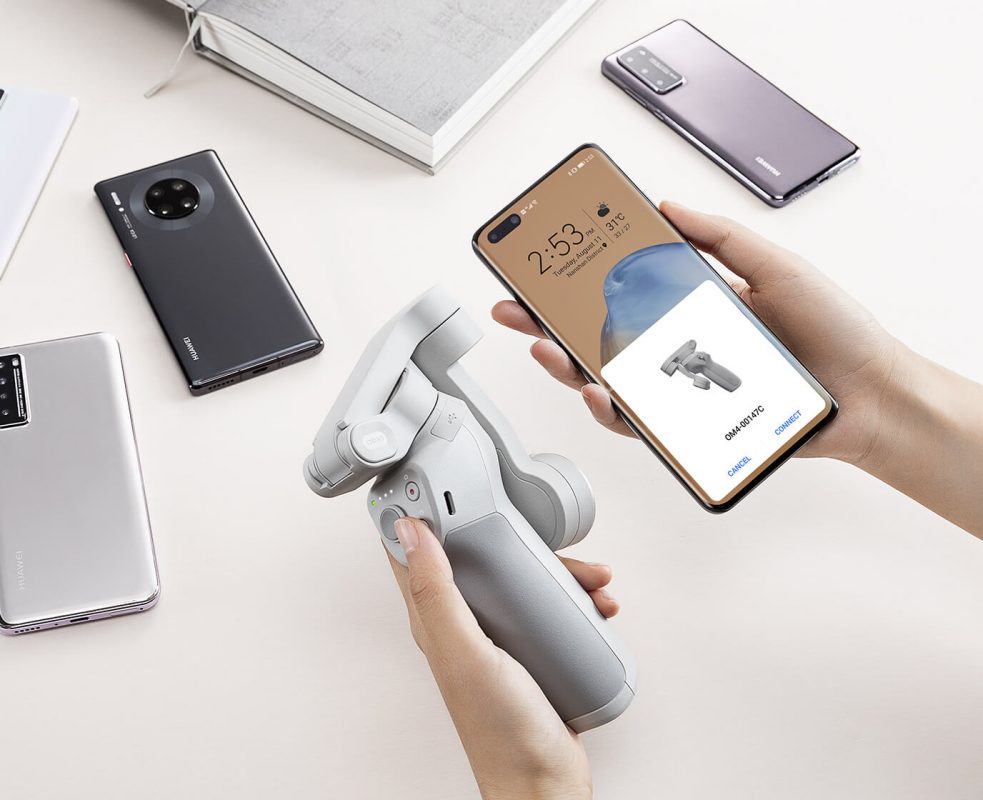
Những khoảnh khắc đáng giá trong cuộc sống cần được ghi lại bằng những thước phim sống động. DJI OM 4 là chiếc Gimbal mới nhất của DJI được sử dụng cho smartphone. Với thiết kế từ tính thông minh, kết cấu gấp gọn linh hoạt cùng những tính năng mới được tích hợp, DJI OM 4 chính là giải pháp tối ưu giúp bạn lưu giữ và chia sẻ những khoảnh khắc thú vị của cuộc sống với mọi người xung quanh.

[/col]
[col span=”2″ span__sm=”12″ visibility=”hide-for-small”]

[/col]

[/row]
[row style=”collapse”]

[col span=”2″ span__sm=”6″]

[ux_banner height=”150px” bg_color=”rgb(255, 255, 255)”]

[ux_image id=”512″ width=”50″ width__sm=”40″ position_x=”50″ position_y=”5″]

[text_box width=”70″ width__sm=”83″ scale=”90″ position_x=”50″ position_y=”90″]

Thiết kế từ tính

[/text_box]

[/ux_banner]

[/col]
[col span=”2″ span__sm=”6″]

[ux_banner height=”150px” bg_color=”rgb(255, 255, 255)”]

[ux_image id=”509″ width=”50″ width__sm=”40″ position_x=”50″ position_y=”5″]

[text_box width=”70″ scale=”90″ position_x=”50″ position_y=”100″]

Khả năng gấp gọn và di động

[/text_box]

[/ux_banner]

[/col]
[col span=”2″ span__sm=”6″]

[ux_banner height=”150px” bg_color=”rgb(255, 255, 255)”]

[ux_image id=”508″ width=”50″ width__sm=”40″ position_x=”50″ position_y=”5″]

[text_box width=”70″ width__sm=”90″ scale=”90″ position_x=”50″ position_y=”95″]

Chế độ “Story Mode”

[/text_box]

[/ux_banner]

[/col]
[col span=”2″ span__sm=”6″]

[ux_banner height=”150px” bg_color=”rgb(255, 255, 255)”]

[ux_image id=”510″ width=”50″ width__sm=”40″ position_x=”50″ position_y=”5″]

[text_box width=”70″ width__sm=”92″ scale=”90″ scale__sm=”100″ position_x=”90″ position_x__sm=”50″ position_y=”95″ position_y__sm=”95″]

Điều khiển cử chỉ

[/text_box]

[/ux_banner]

[/col]
[col span=”2″ span__sm=”6″]

[ux_banner height=”150px” bg_color=”rgb(255, 255, 255)”]

[ux_image id=”511″ width=”50″ width__sm=”40″ position_x=”50″ position_y=”5″]

[text_box width=”70″ scale=”90″ position_x=”50″ position_y=”95″]

ActiveTrack 3.0

[/text_box]

[/ux_banner]

[/col]
[col span=”2″ span__sm=”6″]

[ux_banner height=”150px” bg_color=”rgb(255, 255, 255)”]

[ux_image id=”513″ width=”50″ width__sm=”40″ position_x=”50″ position_y=”5″]

[text_box width=”70″ width__sm=”83″ scale=”90″ position_x=”50″ position_y=”95″]

Chế độ “Spin Shot”

[/text_box]

[/ux_banner]

[/col]

[/row]

[/section]
[section label=”Ngam” padding__sm=”0px”]

[row width=”custom” custom_width=”1200px” v_align=”bottom”]

[col span=”3″ span__sm=”12″ visibility=”hide-for-small”]

[/col]
[col span=”6″ span__sm=”12″]

Thiết kế từ tính tháo lắp nhanh

Gimbal gắn chắc chắn với điện thoại

[/col]
[col span=”3″ span__sm=”12″ visibility=”hide-for-small”]

[/col]
[col label=”Ngàm-desk” span__sm=”12″ visibility=”hide-for-small”]

[ux_banner height=”650px” height__sm=”350px” bg_color=”rgb(255, 255, 255)” video_mp4=”https://dji-vietnam.vn/wp-content/uploads/2020/09/video-cach-hoat-dong-cua-gimbal-dji-om-4.mp4″ video_loop=”false” video_visibility=”visible”]

[text_box width=”34″ width__sm=”96″ animate=”fadeInRight” position_x=”10″ position_x__sm=”50″ position_y=”50″ position_y__sm=”100″]

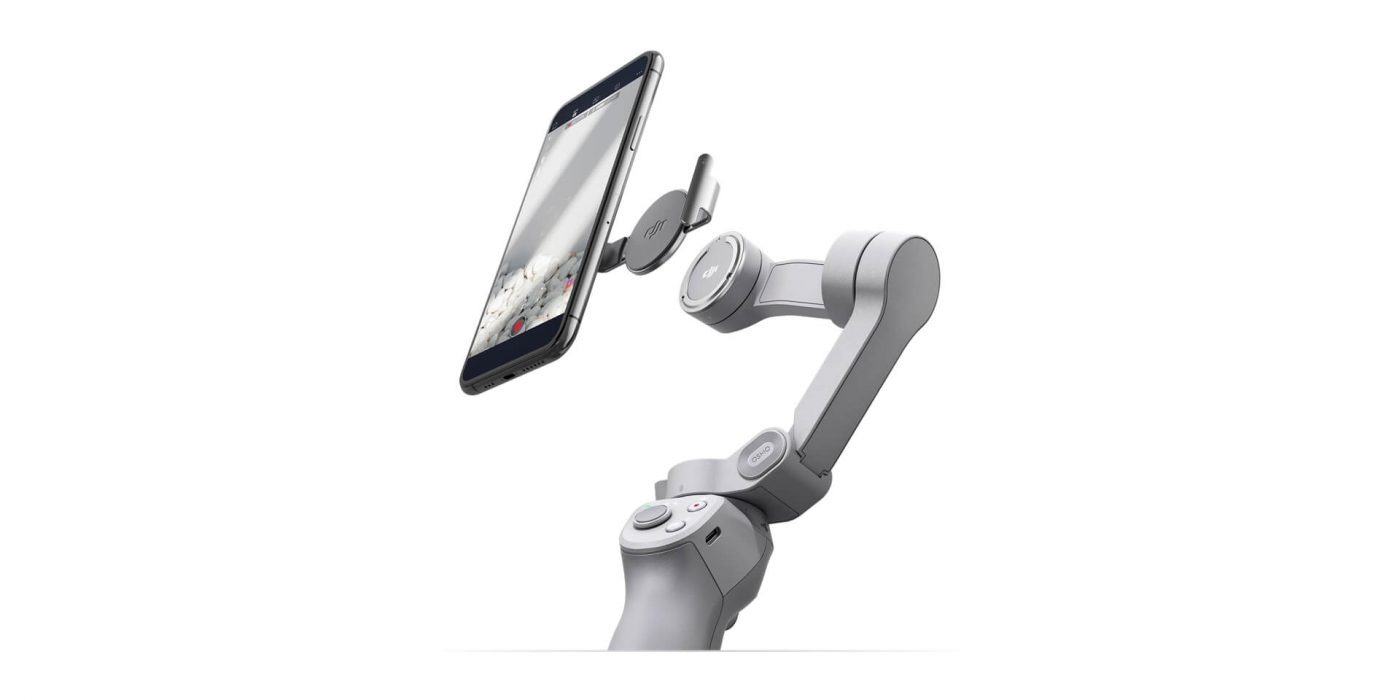
Thiết kế mới này gồm 2 kẹp từ tính, một trên gimbal, 1 trên smartphone, giúp điện thoại tự động gắn lên OM 4 ngay lập tức mà không cần kẹp hay phải giữ cân bằng giữa các lần quay.

Điều này cho phép bạn bắt kịp các khoảnh khắc xuất hiện bất chợt mà không mất thời gian tùy chỉnh, tháo lắp điện thoại trên kẹp Gimbal, rất thích hợp để quay phim khi di chuyển.

[/text_box]

[/ux_banner]

[/col]
[col label=”Ngàm-mob” span__sm=”12″ visibility=”show-for-small”]

[ux_banner height=”650px” height__sm=”350px” bg=”608″ bg_size=”original” bg_color=”rgb(255, 255, 255)” video_loop=”false” video_visibility=”visible”]

[text_box width=”34″ width__sm=”100″ animate=”fadeInRight” position_x=”10″ position_x__sm=”50″ position_y=”50″ position_y__sm=”100″ bg=”rgba(0, 0, 0, 0.03)” radius=”10″ depth=”1″]

Thiết kế mới này gồm 2 kẹp từ tính, một trên gimbal, 1 trên smartphone, giúp điện thoại tự động gắn lên OM4 ngay lập tức mà không cần kẹp hay phải giữ cân bằng giữa các lần quay.

Điều này cho phép bạn bắt kịp các khoảnh khắc xuất hiện bất chợt mà không mất thời gian tùy chỉnh, tháo lắp điện thoại trên kẹp Gimbal, rất thích hợp để quay phim khi di chuyển.

[/text_box]

[/ux_banner]

[/col]
[col span=”6″ span__sm=”6″]

[ux_banner height=”600px” height__sm=”150px” bg=”607″ bg_color=”rgb(255, 255, 255)” video_mp4=”https://dji-vietnam.vn/wp-content/uploads/2020/09/thiet-ke-tu-tinh-cua-gimbal-dji-om-4.mp4″ video_visibility=”hide-for-small”]

[text_box position_x=”50″ position_y=”50″ visibility=”show-for-medium”]

[video_button video=”https://dji-vietnam.vn/wp-content/uploads/2020/09/thiet-ke-tu-tinh-cua-gimbal-dji-om-4.mp4″]

[/text_box]

[/ux_banner]

[/col]
[col span=”6″ span__sm=”6″]

[ux_banner height=”600px” height__sm=”150px” bg=”606″ bg_color=”rgb(255, 255, 255)” video_mp4=”https://dji-vietnam.vn/wp-content/uploads/2020/09/thiet-ke-tu-tinh-cua-gimbal-dji-om-4-1.mp4″ video_visibility=”hide-for-small”]

[text_box position_x=”50″ position_y=”50″ visibility=”show-for-medium”]

[video_button video=”https://dji-vietnam.vn/wp-content/uploads/2020/09/thiet-ke-tu-tinh-cua-gimbal-dji-om-4-1.mp4″]

[/text_box]

[/ux_banner]

[/col]
[col span=”6″ span__sm=”12″]

Kẹp điện thoại từ tính – Magentic Phone Clamp

Kẹp điện thoại từ tính có thiết kế cực mỏng và siêu nhẹ, không gây áp lực lên smartphone, giúp giữ điện thoại chắc chắn và an toàn trên Gimbal trong toàn bộ quá trình sử dụng.

[/col]
[col span=”6″ span__sm=”12″]

Tấm dán tròn từ tính – Magentic Ring Holder

Sử dụng tấm dán tròn từ tính Magentic Ring cho phép bạn gắn chiếc điện thoại thông minh lên OM 4 nhanh chóng, chắc chắn và an toàn.                                                                  

[/col]

[/row]

[/section]
[section label=”Làm phim” padding=”0px”]

[row style=”small”]

[col span=”3″ span__sm=”12″ visibility=”hide-for-small”]

[/col]
[col span=”6″ span__sm=”12″]

Chế độ chụp ảnh thông minh

Làm phim dễ dàng hơn

[/col]
[col span=”3″ span__sm=”12″ visibility=”hide-for-small”]

[/col]
[col label=”Desk” span__sm=”12″ visibility=”hide-for-small”]

[ux_banner height=”500px” video_mp4=”https://dji-vietnam.vn/wp-content/uploads/2020/09/quay-phim-de-dang-voi-gimbal-dji-om-4.mp4″]

[text_box position_x=”50″ position_y=”95″]

Các tính năng mới của DJI OM 4 cho video bắt mắt hơn

[/text_box]

[/ux_banner]

[/col]
[col label=”Mobile” span__sm=”12″ visibility=”show-for-small”]

[ux_banner height=”500px” bg=”610″ bg_size=”original” bg_overlay__sm=”rgba(0, 0, 0, 0.41)”]

[text_box animate=”fadeInRight” position_x=”50″ position_y=”95″ position_y__sm=”50″]

Các tính năng mới của DJI OM4 cho video bắt mắt hơn

[/text_box]

[/ux_banner]

[/col]

[/row]

[/section]
[section label=”Tính năng -dek” padding__sm=”0px” visibility=”hide-for-small”]

[row style=”collapse” col_style=”divided” width=”custom” custom_width=”1900px”]

[col span__sm=”12″]

Các tính năng thông minh của DJI OM 4

Tưởng tượng những gì có thể xảy ra

DJI OM 4 được trang bị các tính năng riêng giúp tạo nên những video độc đáo, ấn tượng hơn.

[ux_slider style=”focus” slide_width=”1000px” timer=”4000″ pause_hover=”false”]

[ux_banner label=”active 3.0″ height=”600px” height__sm=”300px” video_mp4=”https://dji-vietnam.vn/wp-content/uploads/2020/09/active-30-tren-gimbal-dji-om-4.mp4″ video_visibility=”visible”]

[text_box width=”92″ width__sm=”65″ position_x=”5″ position_x__sm=”5″ position_y=”95″ position_y__sm=”90″ bg=”rgba(0, 0, 0, 0.35)” radius=”10″ depth=”1″ depth_hover=”2″]

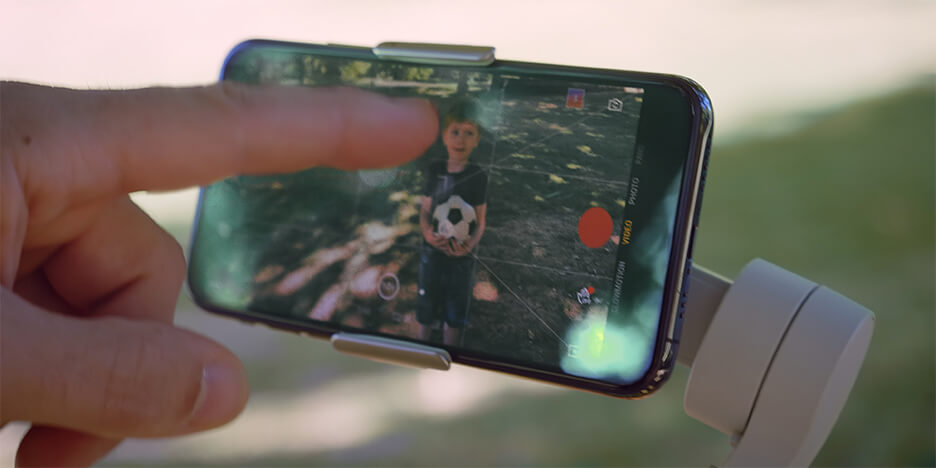
ActiveTrack 3.0


ActiveTrack 3.0 cho phép nhận diện và theo dõi các chủ thể như người lớn, trẻ em và vật nuôi với độ chính xác cao hơn. Đồng thời, hỗ trợ người dùng kiểm soát và điều chỉnh bố cục khung hình một cách dễ dàng.
[/text_box]

[/ux_banner]
[ux_banner label=”Story Mode” height=”600px” height__sm=”300px” video_mp4=”https://dji-vietnam.vn/wp-content/uploads/2020/09/che-do-cau-chuyen-tren-gimbal-dji-om-4.mp4″ video_visibility=”visible”]

[text_box width=”92″ width__sm=”62″ position_x=”5″ position_x__sm=”5″ position_y=”95″ position_y__sm=”90″ bg=”rgba(0, 0, 0, 0.35)” radius=”10″ depth=”1″ depth_hover=”2″]

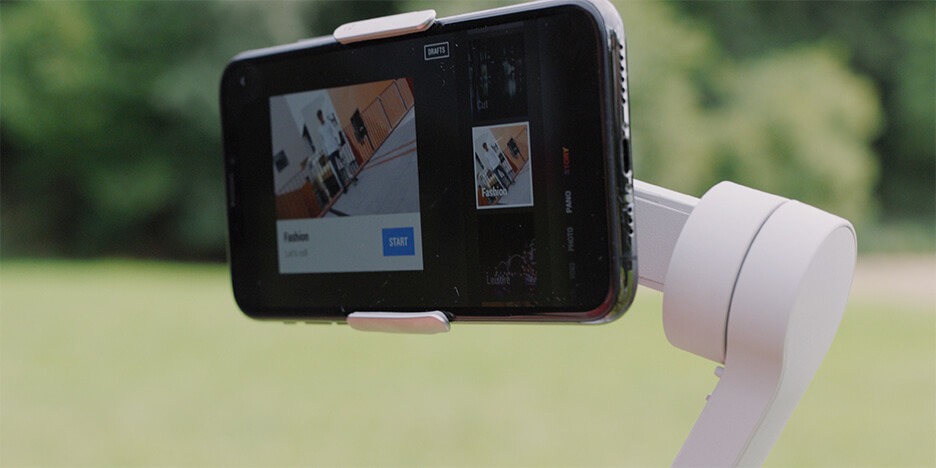
Chế độ “Story Mode”


Nếu bạn chưa thành thục về kỹ năng quay phim hay chỉnh sửa thì “Story Mode” chắc chắn là dành cho bạn. Với các mẫu video có sẵn, bạn có thể dễ dàng tạo ra những cảnh quay chuyên nghiệp và lưu giữ chúng mãi về sau.
[/text_box]

[/ux_banner]
[ux_banner label=”Dynamic zoom” height=”600px” height__sm=”300px” video_mp4=”https://dji-vietnam.vn/wp-content/uploads/2020/09/dynamic-zoom-tren-gimbal-dji-om-4.mp4″ video_visibility=”visible”]

[text_box width=”92″ width__sm=”60″ position_x=”5″ position_x__sm=”5″ position_y=”95″ position_y__sm=”90″ bg=”rgba(0, 0, 0, 0.35)” radius=”10″ depth=”1″ depth_hover=”2″]

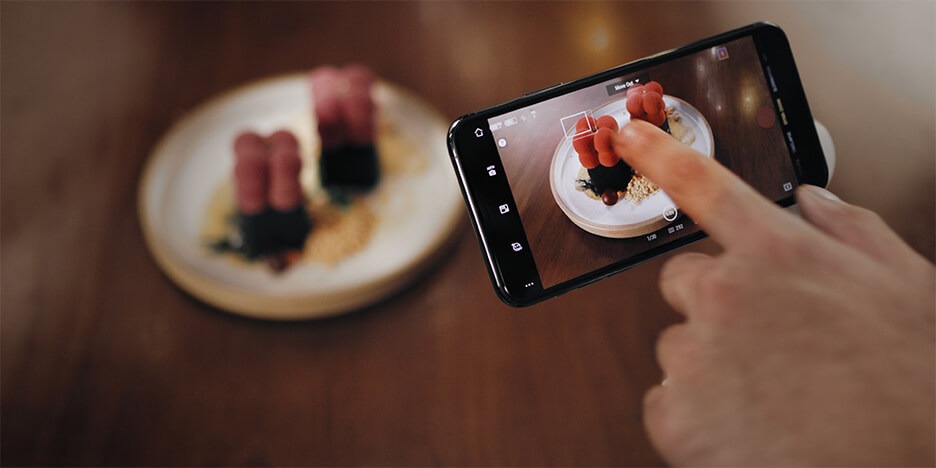
Dynamic Zoom


Hiệu ứng này cho phép bạn tạo nên những cảnh quay như trong phim Hollywood mà không tốn nhiều công sức. Việc bạn cần làm chỉ là chạm nhẹ vào màn hình điện thoại và lùi về sau, còn lại cứ để Dynamic Zoom lo.
[/text_box]

[/ux_banner]
[ux_banner label=”Cloneme Pane” height=”600px” height__sm=”300px” video_mp4=”https://dji-vietnam.vn/wp-content/uploads/2020/09/cloneme-pane-tren-gimbal-dji-om-4.mp4″ video_visibility=”visible”]

[text_box width=”92″ width__sm=”67″ position_x=”5″ position_x__sm=”5″ position_y=”95″ position_y__sm=”90″ bg=”rgba(0, 0, 0, 0.35)” radius=”10″ depth=”1″ depth_hover=”2″]

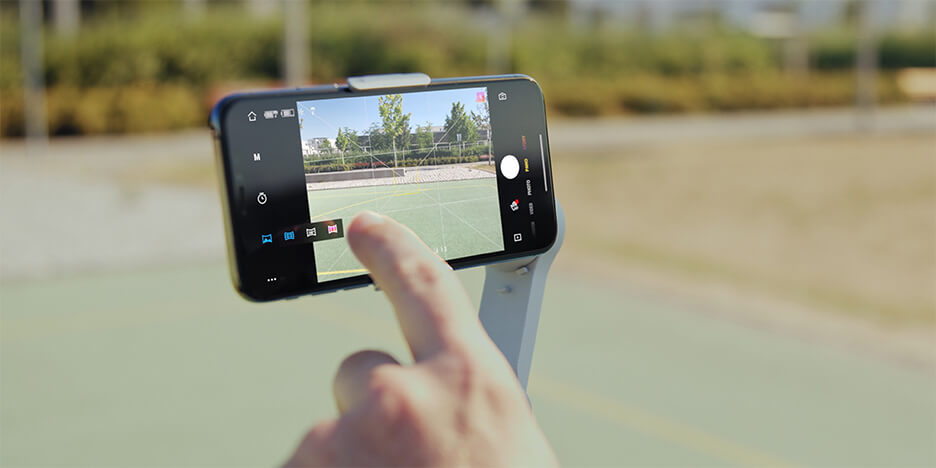
CloneMe Pano


CloneMe giúp tạo ra một bức tranh toàn cảnh từ việc ghép các bức hình lại với nhau. Tính năng tạm dừng giữa các khung hình cho phép bạn có thể tạo dáng và chuyển đến khung hình tiếp theo. Từ đó có thể nhân bản chính mình hoặc bạn bè với nhiều tư thế khác nhau trong một lần chụp.
[/text_box]

[/ux_banner]
[ux_banner label=”Điều khiển” height=”600px” height__sm=”300px” video_mp4=”https://dji-vietnam.vn/wp-content/uploads/2020/09/dieu-khien-bang-cu-chi-tren-gimbal-dji-om-4.mp4″ video_visibility=”visible”]

[text_box width=”92″ width__sm=”69″ position_x=”5″ position_x__sm=”5″ position_y=”95″ position_y__sm=”90″ bg=”rgba(0, 0, 0, 0.35)” radius=”10″ depth=”1″ depth_hover=”2″]

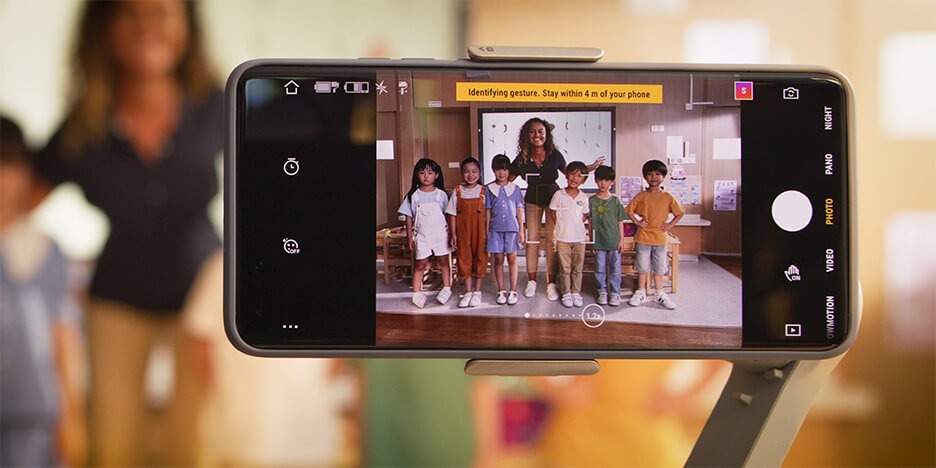
Điều khiển bằng cử chỉ


Đây là tính năng thích hợp để selfie hay chụp ảnh tập thể. Chỉ bằng một cử chỉ, bạn có thể điều khiển chính xác OM 4 từ xa và nhận lại những bức hình theo ý muốn mà không cần phải căn chỉnh bố cục theo mặc định như trước đây.
[/text_box]

[/ux_banner]

[/ux_slider]

[/col]

[/row]

[/section]
[section label=”Tính năng-mob” padding__sm=”20px” visibility=”show-for-small”]

[row style=”collapse” col_style=”divided” width=”custom” custom_width=”1900px”]

[col span__sm=”12″ padding=”0px 10px 0px 10px”]

Các tính năng thông minh của DJI OM 4

Tưởng tượng những gì có thể xảy ra

DJI OM 4 được trang bị các tính năng riêng giúp tạo nên những video độc đáo, ấn tượng hơn.

[ux_slider slide_width=”1000px” timer=”4000″ pause_hover=”false”]

[ux_banner label=”active 3.0″ height=”600px” height__sm=”380px” bg_color=”rgb(223, 223, 223)” video_visibility=”visible”]

[text_box width=”92″ width__sm=”90″ padding__sm=”0px 10px 10px 10px” position_x=”5″ position_x__sm=”50″ position_y=”95″ position_y__sm=”95″]

ActiveTrack 3.0


ActiveTrack 3.0 cho phép nhận diện và theo dõi các chủ thể như người lớn, trẻ em và vật nuôi với độ chính xác cao hơn. Đồng thời, hỗ trợ người dùng kiểm soát và điều chỉnh bố cục khung hình một cách dễ dàng.

[/text_box]
[ux_image id=”1042″ width__sm=”100″ position_x=”50″ position_y=”50″ position_y__sm=”0″]

[text_box width__sm=”35″ position_x=”50″ position_y=”50″ position_y__sm=”15″]

[video_button video=”https://dji-vietnam.vn/wp-content/uploads/2020/09/active-30-tren-gimbal-dji-om-4.mp4″ size=”90″]

[/text_box]

[/ux_banner]
[ux_banner label=”Story Mode” height=”600px” height__sm=”380px” bg_color=”rgb(223, 223, 223)” video_visibility=”visible”]

[text_box width=”92″ width__sm=”90″ position_x=”5″ position_x__sm=”50″ position_y=”95″ position_y__sm=”90″ radius=”10″]

Chế độ “Story Mode”


Nếu bạn chưa thành thục về kỹ năng quay phim hay chỉnh sửa thì “Story Mode” chắc chắn là dành cho bạn. Với các mẫu video có sẵn, bạn có thể dễ dàng tạo ra những cảnh quay chuyên nghiệp và lưu giữ chúng mãi về sau.

[/text_box]
[ux_image id=”1046″ position_x=”50″ position_y=”50″ position_y__sm=”0″]

[text_box width__sm=”35″ position_x=”50″ position_y=”50″ position_y__sm=”15″]

[video_button video=”https://dji-vietnam.vn/wp-content/uploads/2020/09/che-do-cau-chuyen-tren-gimbal-dji-om-4.mp4″ size=”90″]

[/text_box]

[/ux_banner]
[ux_banner label=”Dynamic zoom” height=”600px” height__sm=”380px” bg_color=”rgb(223, 223, 223)” video_visibility=”visible”]

[text_box width=”92″ width__sm=”90″ position_x=”5″ position_x__sm=”5″ position_y=”95″ position_y__sm=”90″ radius=”10″]

Dynamic Zoom


Hiệu ứng này cho phép bạn tạo nên những cảnh quay như trong phim Hollywood mà không tốn nhiều công sức. Việc bạn cần làm chỉ là chạm nhẹ vào màn hình điện thoại và lùi về sau, còn lại cứ để Dynamic Zoom lo.

[/text_box]
[ux_image id=”1045″ position_x=”50″ position_y=”50″ position_y__sm=”0″]

[text_box width__sm=”35″ position_x=”50″ position_y=”50″ position_y__sm=”15″]

[video_button video=”https://dji-vietnam.vn/wp-content/uploads/2020/09/dynamic-zoom-tren-gimbal-dji-om-4.mp4″ size=”90″]

[/text_box]

[/ux_banner]
[ux_banner label=”Cloneme Pane” height=”600px” height__sm=”380px” bg_color=”rgb(223, 223, 223)” video_visibility=”visible”]

[text_box width=”92″ width__sm=”90″ position_x=”5″ position_x__sm=”50″ position_y=”95″ position_y__sm=”95″ radius=”10″]

CloneMe Pano


CloneMe giúp tạo ra một bức tranh toàn cảnh từ việc ghép các bức hình lại với nhau. Tính năng tạm dừng giữa các khung hình cho phép bạn có thể tạo dáng và chuyển đến khung hình tiếp theo. Từ đó có thể nhân bản chính mình hoặc bạn bè với nhiều tư thế khác nhau trong một lần chụp.

[/text_box]
[ux_image id=”1043″ position_x=”50″ position_y=”50″ position_y__sm=”0″]

[text_box width__sm=”35″ position_x=”50″ position_y=”50″ position_y__sm=”15″]

[video_button video=”https://dji-vietnam.vn/wp-content/uploads/2020/09/cloneme-pane-tren-gimbal-dji-om-4.mp4″ size=”90″]

[/text_box]

[/ux_banner]
[ux_banner label=”Điều khiển” height=”600px” height__sm=”380px” bg_color=”rgb(223, 223, 223)” video_visibility=”visible”]

[text_box width=”92″ width__sm=”90″ position_x=”5″ position_x__sm=”5″ position_y=”95″ position_y__sm=”90″ radius=”10″]

Điều khiển bằng cử chỉ


Đây là tính năng thích hợp để selfie hay chụp ảnh tập thể. Chỉ bằng một cử chỉ, bạn có thể điều khiển chính xác OM 4 từ xa và nhận lại những bức hình theo ý muốn mà không cần phải căn chỉnh bố cục theo mặc định như trước đây.

[/text_box]
[ux_image id=”1044″ position_x=”50″ position_y=”50″ position_y__sm=”0″]

[text_box width__sm=”35″ position_x=”50″ position_y=”50″ position_y__sm=”15″]

[video_button video=”https://dji-vietnam.vn/wp-content/uploads/2020/09/dieu-khien-bang-cu-chi-tren-gimbal-dji-om-4.mp4″ size=”90″]

[/text_box]

[/ux_banner]

[/ux_slider]

[/col]

[/row]

[/section]
[section label=”Tính năng 1-dek” padding__sm=”0px” visibility=”hide-for-small”]

[row style=”collapse” col_style=”divided” width=”custom” custom_width=”1900px”]

[col span__sm=”12″ align=”center”]

Tính năng Timelapse

DJI OM 4

Tua nhanh chuyển động của đám mây trôi trên bầu trời hay cô đọng một chuyến đi trên đường với tính năng Timelapse

Bạn có thể tạo nên những đoạn video ngắn mà vô cùng hấp dẫn

[/col]
[col span__sm=”12″]

[ux_slider style=”focus” slide_width=”1000px” timer=”4000″ pause_hover=”false”]

[ux_banner label=”Hyperlapse” height=”600px” height__sm=”300px” video_mp4=”https://dji-vietnam.vn/wp-content/uploads/2020/09/Hyperlapse-tren-gimbal-dji-om-4.mp4″ video_visibility=”visible”]

[text_box width=”92″ width__sm=”57″ position_x=”5″ position_x__sm=”5″ position_y=”95″ position_y__sm=”90″ bg=”rgba(0, 0, 0, 0.35)” radius=”10″ depth=”1″ depth_hover=”2″]

Hyperlapse


Chụp timelapse trong khi di chuyển tạo nên những cảnh quay độc đáo.

[/text_box]

[/ux_banner]
[ux_banner label=”Motionlapse” height=”600px” height__sm=”300px” video_mp4=”https://dji-vietnam.vn/wp-content/uploads/2020/09/Motionlapse-tren-gimbal-dji-om-4.mp4″ video_visibility=”visible”]

[text_box width=”92″ width__sm=”55″ position_x=”5″ position_x__sm=”5″ position_y=”95″ position_y__sm=”90″ bg=”rgba(0, 0, 0, 0.35)” radius=”10″ depth=”1″ depth_hover=”2″]

Motionlapse


Cho phép thêm chuyển động của máy ảnh vào các cảnh quay timelapse.

[/text_box]

[/ux_banner]
[ux_banner label=”Timelapse” height=”600px” height__sm=”300px” video_mp4=”https://dji-vietnam.vn/wp-content/uploads/2020/09/Timelapse-tren-gimbal-dji-om-4.mp4″ video_visibility=”visible”]

[text_box width=”92″ width__sm=”55″ position_x=”5″ position_x__sm=”5″ position_y=”95″ position_y__sm=”90″ bg=”rgba(0, 0, 0, 0.35)” radius=”10″ depth=”1″ depth_hover=”2″]

Timelapse


Tạo video tốc độ cao với cảnh quay tĩnh trong thời gian dài.

[/text_box]

[/ux_banner]

[/ux_slider]

[/col]

[/row]

[/section]
[section label=”Tính năng 1-mob” padding__sm=”0px” visibility=”show-for-small”]

[row style=”collapse” col_style=”divided” width=”custom” custom_width=”1900px”]

[col span__sm=”12″ padding=”0px 10px 0px 10px” align=”center”]

Tính năng Timelapse

DJI OM 4

Tua nhanh chuyển động của đám mây trôi trên bầu trời hay cô đọng một chuyến đi trên đường với tính năng Timelapse

Bạn có thể tạo nên những đoạn video ngắn mà vô cùng hấp dẫn

[/col]
[col span__sm=”12″ padding=”0px 10px 0px 10px”]

[ux_slider slide_width=”1000px” timer=”4000″ pause_hover=”false”]

[ux_banner label=”Hyperlapse” height=”600px” height__sm=”380px” bg_color=”rgb(227, 227, 227)” video_visibility=”visible”]

[text_box width=”92″ width__sm=”85″ position_x=”5″ position_x__sm=”50″ position_y=”95″ position_y__sm=”85″ radius=”10″]

Hyperlapse


Chụp timelapse trong khi di chuyển tạo nên những cảnh quay độc đáo.

[/text_box]
[ux_image id=”1058″ position_x=”50″ position_y=”50″ position_y__sm=”0″]

[text_box position_x=”50″ position_y=”50″ position_y__sm=”15″]

[video_button video=”https://dji-vietnam.vn/wp-content/uploads/2020/09/Hyperlapse-tren-gimbal-dji-om-4.mp4″]

[/text_box]

[/ux_banner]
[ux_banner label=”Motionlapse” height=”600px” height__sm=”380px” bg_color=”rgb(227, 227, 227)” video_visibility=”visible”]

[text_box width=”92″ width__sm=”90″ position_x=”5″ position_x__sm=”50″ position_y=”95″ position_y__sm=”85″ radius=”10″]

Motionlapse


Cho phép thêm chuyển động của máy ảnh vào các cảnh quay timelapse.

[/text_box]
[ux_image id=”1059″ position_x=”50″ position_y=”50″ position_y__sm=”0″]

[text_box position_x=”50″ position_y=”50″ position_y__sm=”15″]

[video_button video=”https://dji-vietnam.vn/wp-content/uploads/2020/09/Motionlapse-tren-gimbal-dji-om-4.mp4″]

[/text_box]

[/ux_banner]
[ux_banner label=”Timelapse” height=”600px” height__sm=”380px” bg_color=”rgb(227, 225, 225)” video_visibility=”visible”]

[text_box width=”92″ width__sm=”90″ position_x=”5″ position_x__sm=”50″ position_y=”95″ position_y__sm=”85″ radius=”10″]

Timelapse


Tạo video tốc độ cao với cảnh quay tĩnh trong thời gian dài.

[/text_box]
[ux_image id=”1060″ position_x=”50″ position_y=”50″ position_y__sm=”0″]

[text_box position_x=”50″ position_y=”50″ position_y__sm=”15″]

[video_button video=”https://dji-vietnam.vn/wp-content/uploads/2020/09/Timelapse-tren-gimbal-dji-om-4.mp4″]

[/text_box]

[/ux_banner]

[/ux_slider]

[/col]

[/row]

[/section]
[section label=”Tính năng 2-dek” visibility=”hide-for-small”]

[row style=”collapse” col_style=”divided” width=”custom” custom_width=”1900px”]

[col span__sm=”12″ align=”center”]

Khả năng sáng tạo

DJI OM 4

Sáng tạo nhiều hơn với nhiều chế độ quay được tích hợp sẵn trên Gimbal DJI OM 4

[/col]
[col span__sm=”12″]

[ux_slider style=”focus” slide_width=”1000px” timer=”4000″ pause_hover=”false”]

[ux_banner label=”SpinShot Mode” height=”600px” height__sm=”300px” video_mp4=”https://dji-vietnam.vn/wp-content/uploads/2020/09/spinshot-gimbal-dji-om-4.mp4″ video_visibility=”visible”]

[text_box width=”92″ width__sm=”57″ position_x=”5″ position_x__sm=”5″ position_y=”95″ position_y__sm=”90″ bg=”rgba(0, 0, 0, 0.35)” radius=”10″ depth=”1″ depth_hover=”2″]

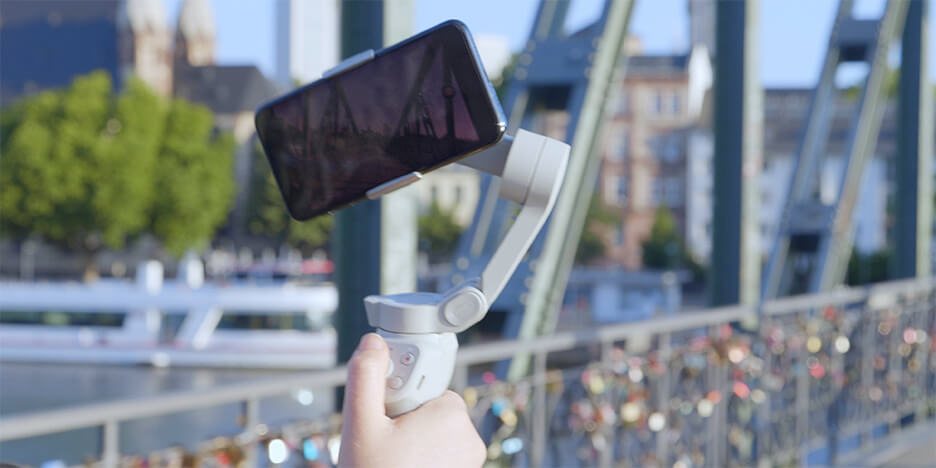
SpinShot Mode


Xoay điện thoại thông minh và tạo hiệu ứng đảo lộn “Inception” ấn tượng.
[/text_box]

[/ux_banner]
[ux_banner label=”Slow Motion” height=”600px” height__sm=”300px” video_mp4=”https://dji-vietnam.vn/wp-content/uploads/2020/09/Slow-Motion-tren-gimbal-dji-om-4.mp4″ video_visibility=”visible”]

[text_box width=”92″ width__sm=”54″ position_x=”5″ position_x__sm=”5″ position_y=”95″ position_y__sm=”90″ bg=”rgba(0, 0, 0, 0.35)” radius=”10″ depth=”1″ depth_hover=”2″]

Slow Motion


Làm chậm chuyển động để bắt trọn tất cả những khoảnh khắc mà bạn có thể bỏ lỡ.

[/text_box]

[/ux_banner]
[ux_banner label=”240° Pano” height=”600px” height__sm=”300px” video_mp4=”https://dji-vietnam.vn/wp-content/uploads/2020/09/240-Pano-gimbal-dji-om-4.mp4″ video_visibility=”visible”]

[text_box width=”92″ width__sm=”54″ position_x=”5″ position_x__sm=”5″ position_y=”95″ position_y__sm=”90″ bg=”rgba(0, 0, 0, 0.35)” radius=”10″ depth=”1″ depth_hover=”2″]

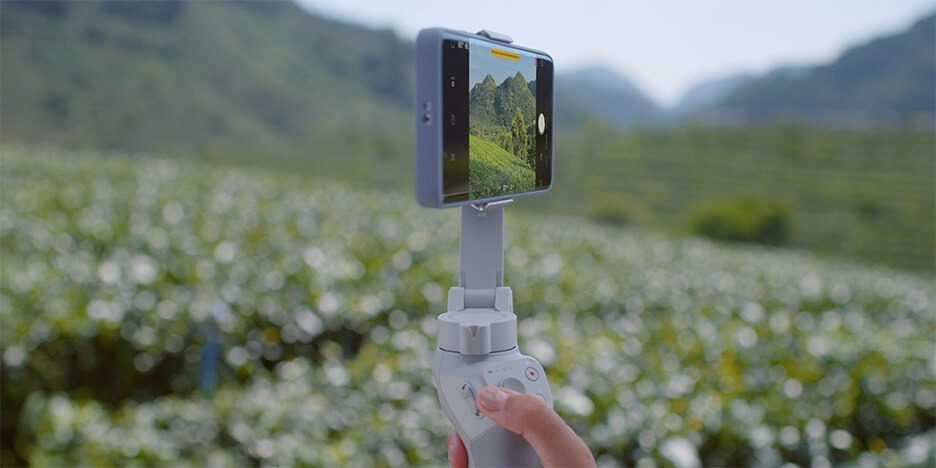
240° Pano


Thu được nhiều cảnh hơn nhờ khả năng chụp Panorama với góc lên tới 240 độ.
[/text_box]

[/ux_banner]
[ux_banner label=”3×3 Pano” height=”600px” height__sm=”300px” video_mp4=”https://dji-vietnam.vn/wp-content/uploads/2020/09/pano-3-3-gimbal-dji-om-4.mp4″ video_visibility=”visible”]

[text_box width=”92″ width__sm=”56″ position_x=”5″ position_x__sm=”5″ position_y=”95″ position_y__sm=”90″ bg=”rgba(0, 0, 0, 0.35)” radius=”10″ depth=”1″ depth_hover=”2″]

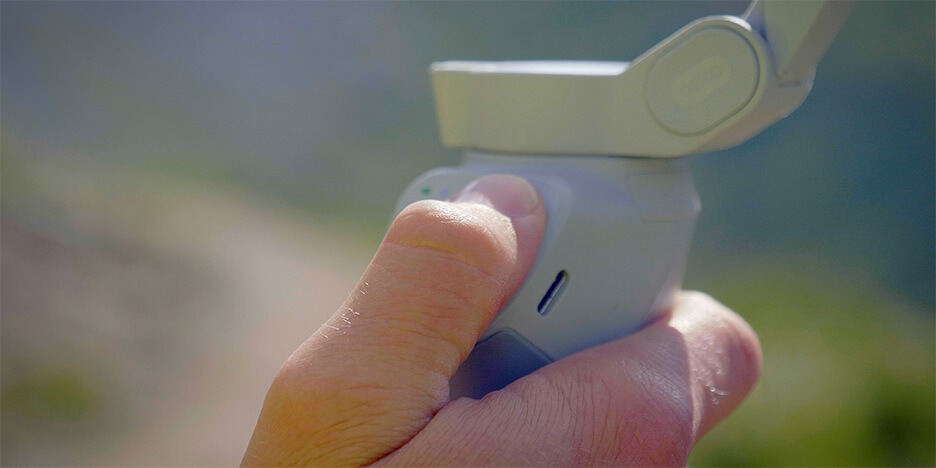
3×3 Pano


Tạo ra bức ảnh góc siêu rộng với kỹ thuật ghép ảnh từ gimbal (ghép 9 bức ảnh ở 9 góc chụp khác nhau).
[/text_box]

[/ux_banner]

[/ux_slider]

[/col]

[/row]

[/section]
[section label=”Tính năng 2-dek” visibility=”show-for-small”]

[row style=”collapse” col_style=”divided” width=”custom” custom_width=”1900px”]

[col span__sm=”12″ align=”center”]

Khả năng sáng tạo

DJI OM 4

Sáng tạo nhiều hơn với nhiều chế độ quay được tích hợp sẵn trên Gimbal DJI OM 4

[/col]
[col span__sm=”12″ padding=”0px 10px 0px 10px”]

[ux_slider style=”focus” slide_width=”1000px” timer=”4000″ pause_hover=”false”]

[ux_banner label=”SpinShot Mode” height=”600px” height__sm=”380px” bg_color=”rgb(232, 232, 232)” video_visibility=”visible”]

[text_box width=”92″ width__sm=”90″ position_x=”5″ position_x__sm=”5″ position_y=”95″ position_y__sm=”90″]

SpinShot Mode


Xoay điện thoại thông minh và tạo hiệu ứng đảo lộn “Inception” ấn tượng.

[/text_box]
[ux_image id=”1124″ position_x=”50″ position_y=”50″ position_y__sm=”0″]

[text_box position_x=”50″ position_y=”50″ position_y__sm=”15″]

[video_button video=”https://dji-vietnam.vn/wp-content/uploads/2020/09/spinshot-gimbal-dji-om-4.mp4″]

[/text_box]

[/ux_banner]
[ux_banner label=”Slow Motion” height=”600px” height__sm=”380px” bg_color=”rgb(229, 229, 229)” video_visibility=”visible”]

[text_box width=”92″ width__sm=”90″ position_x=”5″ position_x__sm=”50″ position_y=”95″ position_y__sm=”85″]

Slow Motion


Làm chậm chuyển động để bắt trọn tất cả những khoảnh khắc mà bạn có thể bỏ lỡ.

[/text_box]
[ux_image id=”1123″ position_x=”50″ position_y=”50″ position_y__sm=”0″]

[text_box position_x=”50″ position_y=”50″ position_y__sm=”15″]

[video_button video=”https://dji-vietnam.vn/wp-content/uploads/2020/09/Slow-Motion-tren-gimbal-dji-om-4.mp4″]

[/text_box]

[/ux_banner]
[ux_banner label=”240° Pano” height=”600px” height__sm=”380px” bg_color=”rgb(229, 229, 229)” video_visibility=”visible”]

[text_box width=”92″ width__sm=”90″ position_x=”5″ position_x__sm=”50″ position_y=”95″ position_y__sm=”85″]

240° Pano


Thu được nhiều cảnh hơn nhờ khả năng chụp Panorama với góc lên tới 240 độ.

[/text_box]
[ux_image id=”1122″ position_x=”50″ position_y=”50″ position_y__sm=”0″]

[text_box position_x=”50″ position_y=”50″ position_y__sm=”15″]

[video_button video=”https://dji-vietnam.vn/wp-content/uploads/2020/09/240-Pano-gimbal-dji-om-4.mp4″]

[/text_box]

[/ux_banner]
[ux_banner label=”3×3 Pano” height=”600px” height__sm=”380px” bg_color=”rgb(229, 229, 229)” video_visibility=”visible”]

[text_box width=”92″ width__sm=”91″ position_x=”5″ position_x__sm=”50″ position_y=”95″ position_y__sm=”85″]

3×3 Pano


Tạo ra bức ảnh góc siêu rộng với kỹ thuật ghép ảnh từ gimbal (ghép 9 bức ảnh ở 9 góc chụp khác nhau).

[/text_box]
[ux_image id=”1121″ position_x=”50″ position_y=”50″ position_y__sm=”0″]

[text_box position_x=”50″ position_y=”50″ position_y__sm=”15″]

[video_button video=”https://dji-vietnam.vn/wp-content/uploads/2020/09/pano-3-3-gimbal-dji-om-4.mp4″]

[/text_box]

[/ux_banner]

[/ux_slider]

[/col]

[/row]

[/section]
[section label=”Úng dụng Mino”]

[row style=”collapse” col_style=”divided” width=”custom” custom_width=”1900px” h_align=”center”]

[col span__sm=”12″]

[ux_banner height=”650px” height__sm=”600px” bg=”559″ bg_size=”original” parallax=”5″]

[text_box width=”22″ width__sm=”59″ position_x=”20″ position_x__sm=”50″ position_y=”10″ position_y__sm=”0″]

Ứng dụng

Ứng dụng DJI Mino

[/text_box]
[text_box width=”30″ width__sm=”89″ position_x=”80″ position_x__sm=”50″ position_y=”5″ position_y__sm=”10″]

Ứng dụng DJI Mino có trình chỉnh sửa video cho phép bạn sáng tạo video nhanh chóng hơn. Cùng với các hướng dẫn được tích hợp giúp cho việc tạo dựng video trở nên đơn giản và dễ dàng.

[/text_box]

[/ux_banner]

[/col]

[/row]

[/section]
[section label=”Ổn định 3 trục” padding=”0px”]

[row style=”small”]

[col span=”3″ span__sm=”12″ visibility=”hide-for-small”]

[/col]
[col span=”6″ span__sm=”12″]

Ổn định 3 trục

Không còn các cảnh rung
[/col]
[col span=”3″ span__sm=”12″ visibility=”hide-for-small”]

[/col]
[col label=”Desk” span__sm=”12″ visibility=”hide-for-small”]

[ux_banner height=”500px” video_mp4=”https://dji-vietnam.vn/wp-content/uploads/2020/09/chong-rung-3-truc-cua-om-4.mp4″]

[text_box width=”49″ position_x=”5″ position_y=”95″]

DJI OM 4 giúp mang lại những thước phim mượt mà cùng vô số những tùy chọn quay sáng tạo

[/text_box]

[/ux_banner]

[/col]
[col label=”Mobile” span__sm=”12″ visibility=”show-for-small”]

[ux_banner height=”500px” height__sm=”600px” bg=”620″ bg_overlay__sm=”rgba(0, 0, 0, 0.52)”]

[text_box width=”49″ width__sm=”73″ animate=”fadeInRight” position_x=”5″ position_x__sm=”90″ position_y=”95″ position_y__sm=”50″]

DJI OM 4 giúp mang lại những thước phim mượt mà cùng vô số những tùy chọn quay sáng tạo

[/text_box]

[/ux_banner]

[/col]
[col span=”6″ span__sm=”12″]

[ux_banner height=”500px” height__sm=”300px” bg_color=”rgb(255,255,255)”]

[text_box width=”86″ width__sm=”96″ position_x=”50″ position_y=”50″ position_y__sm=”5″]

Siêu ổn định


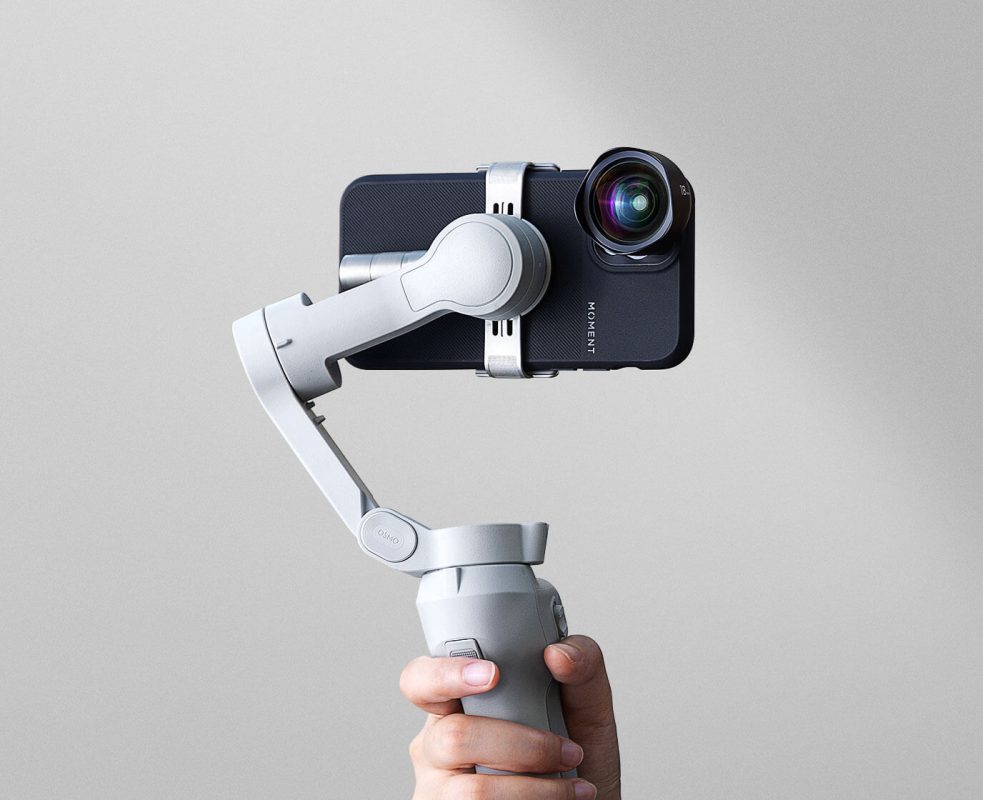
Với OM 4 bạn sẽ không còn phải lo về những cảnh quay bị rung mờ. Ngay cả khi điện thoại được trang bị thêm ống kính bên ngoài thì động cơ mạnh mẽ của OM 4 cũng vẫn giữ cho chiếc smartphone của bạn ổn định và quay video luôn mượt mà.

[/text_box]

[/ux_banner]

[/col]
[col span=”6″ span__sm=”12″]

[ux_image id=”565″]

[/col]
[col span=”6″ span__sm=”12″]

[ux_image id=”566″]

[/col]
[col span=”6″ span__sm=”12″]

[ux_banner height=”500px” height__sm=”250px” bg_color=”rgb(255,255,255)”]

[text_box width=”93″ position_x=”50″ position_y=”50″ position_y__sm=”0″]

Khả năng tương thích của Gimbal


DJI OM 4 có khả năng tương thích với một số điện thoại nhất định.

[/text_box]

[/ux_banner]

[/col]

[/row]

[/section]
[section label=”Tính năng 3-dek” visibility=”hide-for-small”]

[row style=”collapse” col_style=”divided” width=”custom” custom_width=”1900px”]

[col span__sm=”12″ align=”center”]

Nâng cao kiểm soát

Cho hiệu quả quay, chụp tốt hơn

DJI OM 4 giúp đơn giản hóa mọi tình huống, tạo trải nghiệm quay phim phù hợp nhất.

[/col]
[col span__sm=”12″]

[ux_slider style=”focus” slide_width=”1000px” timer=”4000″ pause_hover=”false”]

[ux_banner label=”Flashlight Mode” height=”600px” height__sm=”300px” video_mp4=”https://dji-vietnam.vn/wp-content/uploads/2020/09/Slow-Motion-tren-gimbal-dji-om-4.mp4″ video_visibility=”visible”]

[text_box width=”92″ position_x=”5″ position_x__sm=”50″ position_y=”95″ position_y__sm=”90″ bg=”rgba(0, 0, 0, 0.35)” radius=”10″ depth=”1″ depth_hover=”2″]

Slow MotionFlashlight Mode


Một cảm biến mới được bổ sung giúp OM 4 nhận ra chuyển động của bạn và tự động điều chỉnh vị trí, giúp cho việc chụp ảnh ở góc thấp trở nên dễ dàng hơn bao giờ hết.

[/text_box]

[/ux_banner]
[ux_banner label=”Quick Roll” height=”600px” height__sm=”300px” video_mp4=”https://dji-vietnam.vn/wp-content/uploads/2020/09/Quick-Roll-gimbal-dji-om-4.mp4″ video_visibility=”visible”]

[text_box width=”92″ position_x=”5″ position_x__sm=”50″ position_y=”95″ position_y__sm=”90″ bg=”rgba(0, 0, 0, 0.35)” radius=”10″ depth=”1″ depth_hover=”2″]

240° PanoQuick Roll


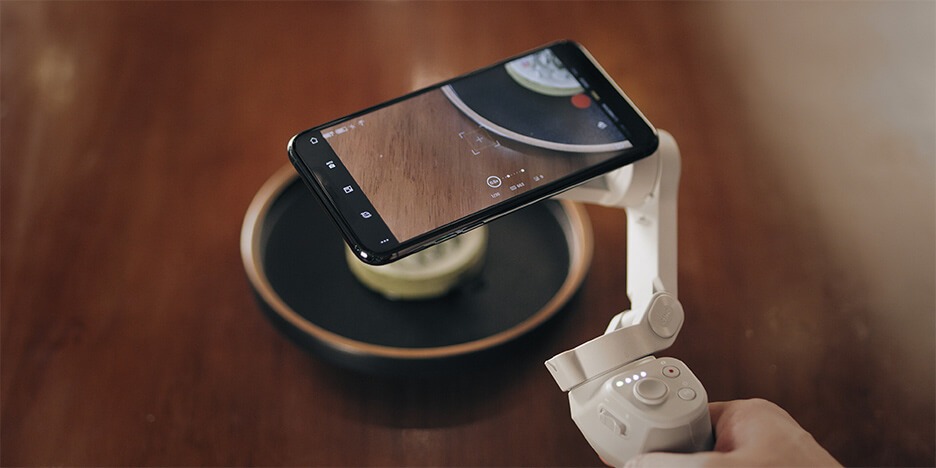
Nhấn nút M hai lần để chuyển nhanh giữa chế độ dọc và ngang giúp thay đổi nhanh chóng giữa hai kiểu chụp chân dung và phong cảnh mà không cần tháo điện thoại.
[/text_box]

[/ux_banner]
[ux_banner label=”Single-Handed Control” height=”600px” height__sm=”300px” video_mp4=”https://dji-vietnam.vn/wp-content/uploads/2020/09/Single-Handed-Control-gimbal-dji-om-4.mp4″ video_visibility=”visible”]

[text_box width=”92″ position_x=”5″ position_x__sm=”50″ position_y=”95″ position_y__sm=”90″ bg=”rgba(0, 0, 0, 0.35)” radius=”10″ depth=”1″ depth_hover=”2″]

Single-Handed Control


Thiết kế trực quan, thoải mái cho phép người dùng quay video với DJI OM 4 dễ dàng chỉ với một tay.

[/text_box]

[/ux_banner]
[ux_banner label=”Quick Roll” height=”600px” height__sm=”300px” video_mp4=”https://dji-vietnam.vn/wp-content/uploads/2020/09/Standby-Mode-cua-gimbal-dji-om-4.mp4″ video_visibility=”visible”]

[text_box width=”92″ position_x=”5″ position_x__sm=”50″ position_y=”95″ position_y__sm=”90″ bg=”rgba(0, 0, 0, 0.35)” radius=”10″ depth=”1″ depth_hover=”2″]

Standby Mode


Chế độ chờ cho phép người dùng tháo điện thoại và nhận cuộc gọi ngay trong khi quay, sau đó Gimbal sẽ được kích hoạt trở lại khi bạn gắn điện thoại lên và nhấn bất kỳ một nút nào đó.

[/text_box]

[/ux_banner]

[/ux_slider]

[/col]

[/row]

[/section]
[section label=”Tính năng 3-mob” visibility=”show-for-small”]

[row style=”collapse” col_style=”divided” width=”custom” custom_width=”1900px”]

[col span__sm=”12″ padding=”0px 10px 0px 10px” align=”center”]

Nâng cao kiểm soát

Cho hiệu quả quay, chụp tốt hơn

DJI OM 4 giúp đơn giản hóa mọi tình huống, tạo trải nghiệm quay phim phù hợp nhất.

[/col]
[col span__sm=”12″ padding=”0px 10px 0px 10px”]

[ux_slider slide_width=”1000px” timer=”4000″ pause_hover=”false”]

[ux_banner label=”Flashlight Mode” height=”600px” height__sm=”380px” bg_color=”rgb(232, 232, 232)” video_visibility=”visible”]

[text_box width=”92″ width__sm=”90″ position_x=”5″ position_x__sm=”50″ position_y=”95″ position_y__sm=”90″]

Slow MotionFlashlight Mode


Một cảm biến mới được bổ sung giúp OM 4 nhận ra chuyển động của bạn và tự động điều chỉnh vị trí, giúp cho việc chụp ảnh ở góc thấp trở nên dễ dàng hơn bao giờ hết.

[/text_box]
[ux_image id=”1123″ position_x=”50″ position_y=”50″ position_y__sm=”0″]

[text_box position_x=”50″ position_y=”50″ position_y__sm=”15″]

[video_button video=”https://dji-vietnam.vn/wp-content/uploads/2020/09/Slow-Motion-tren-gimbal-dji-om-4.mp4″]

[/text_box]

[/ux_banner]
[ux_banner label=”Quick Roll” height=”600px” height__sm=”380px” bg_color=”rgb(231, 229, 229)” video_visibility=”visible”]

[text_box width=”92″ width__sm=”90″ position_x=”5″ position_x__sm=”50″ position_y=”95″ position_y__sm=”90″]

240° PanoQuick Roll


Nhấn nút M hai lần để chuyển nhanh giữa chế độ dọc và ngang giúp thay đổi nhanh chóng giữa hai kiểu chụp chân dung và phong cảnh mà không cần tháo điện thoại.

[/text_box]
[ux_image id=”1133″ position_x=”50″ position_y=”50″ position_y__sm=”0″]

[text_box position_x=”50″ position_x__sm=”50″ position_y=”50″ position_y__sm=”10″]

[video_button video=”https://dji-vietnam.vn/wp-content/uploads/2020/09/Quick-Roll-gimbal-dji-om-4.mp4″]

[/text_box]

[/ux_banner]
[ux_banner label=”Single-Handed Control” height=”600px” height__sm=”380px” bg_color=”rgb(232, 232, 232)” video_visibility=”visible”]

[text_box width=”92″ width__sm=”90″ position_x=”5″ position_x__sm=”50″ position_y=”95″ position_y__sm=”90″]

Single-Handed Control


Thiết kế trực quan, thoải mái cho phép người dùng quay video với DJI OM 4 dễ dàng chỉ với một tay.

[/text_box]
[ux_image id=”1124″ position_x=”50″ position_y=”50″ position_y__sm=”0″]

[text_box position_x=”50″ position_y=”50″ position_y__sm=”15″]

[video_button video=”https://dji-vietnam.vn/wp-content/uploads/2020/09/Single-Handed-Control-gimbal-dji-om-4.mp4″]

[/text_box]

[/ux_banner]
[ux_banner label=”Quick Roll” height=”600px” height__sm=”380px” bg_color=”rgb(231, 231, 231)” video_visibility=”visible”]

[text_box width=”92″ width__sm=”90″ position_x=”5″ position_x__sm=”50″ position_y=”95″ position_y__sm=”90″]

Standby Mode


Chế độ chờ cho phép người dùng tháo điện thoại và nhận cuộc gọi ngay trong khi quay, sau đó Gimbal sẽ được kích hoạt trở lại khi bạn gắn điện thoại lên và nhấn bất kỳ một nút nào đó.

[/text_box]
[ux_image id=”1134″ position_x=”50″ position_y=”50″ position_y__sm=”0″]

[text_box position_x=”50″ position_y=”50″ position_y__sm=”15″]

[video_button video=”https://dji-vietnam.vn/wp-content/uploads/2020/09/Standby-Mode-cua-gimbal-dji-om-4.mp4″]

[/text_box]

[/ux_banner]

[/ux_slider]

[/col]

[/row]

[/section]
[section label=”Phụ Kiện-desk” visibility=”hide-for-small”]

[row style=”collapse” col_style=”divided” width=”custom” custom_width=”1900px” h_align=”center”]

[col span__sm=”12″]

[ux_banner height=”650px” bg=”591″ bg_size=”original”]

[text_box width=”35″ position_x=”50″ position_y=”25″]

Phụ kiện

Nâng cao trải nghiệm khi dùng

[/text_box]
[text_box width=”64″ position_x=”10″ position_y=”100″]

Ghi chú:

[/text_box]

[/ux_banner]

[/col]

[/row]

[/section]
[section label=”Phụ Kiện-mob” visibility=”show-for-small”]

[row style=”collapse” col_style=”divided” width=”custom” custom_width=”1900px” h_align=”center”]

[col span__sm=”12″]

[ux_banner height=”650px” bg=”623″ bg_size=”original”]

[text_box width=”35″ width__sm=”60″ position_x=”50″ position_x__sm=”50″ position_y=”25″ position_y__sm=”10″]

Phụ kiện

Nâng cao trải nghiệm khi dùng

[/text_box]

[/ux_banner]

[/col]
[col span=”4″ span__sm=”12″]

[ux_banner height=”500px” height__sm=”200px” bg_color=”rgb(255,255,255)”]

[text_box width=”64″ width__sm=”94″ position_x=”10″ position_x__sm=”50″ position_y=”100″ position_y__sm=”50″]

Ghi chú:

[/text_box]

[/ux_banner]

[/col]

[/row]

[/section]
[ux_banner height=”600px” height__sm=”400px” bg_color=”rgb(255, 255, 255)”]

[text_box width=”62″ width__sm=”96″ position_x=”50″ position_y=”0″ position_y__sm=”50″]

DJI OM 4

Thiết kế ngàm nam châm độc đáo
[ux_image id=”593″]

[button text=”MUA NGAY TẠI ĐỊA LÝ ỦY QUYỀN DJI VIỆT NAM” style=”shade” animate=”fadeInDown” radius=”5″ depth=”3″ depth_hover=”5″ icon=”icon-shopping-cart” link=”https://vjshop.vn/gimbal/dji-osmo-mobile-4-chinh-hang” target=”_blank”]

Thông tin trên chỉ mang tính chất tham khao. Truy cập ngay đại lý ủy quyền của DJI tại Việt Nam để cập nhật giá mới nhất

[/text_box]

[/ux_banner]